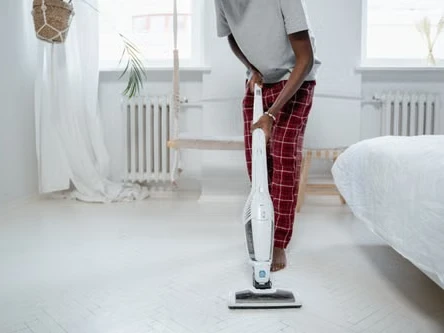
You charged it overnight. You start on the kitchen floor, get maybe halfway through the living room, and it just stops. Not because you're done. Because the battery decided it was done.
Before you go blaming the mop itself, take a breath. Nine times out of ten, the machine is fine. The battery is the part that quietly wears out first, and it rarely fails all at once. It sends signals for weeks, sometimes months, before it gives up completely. The problem is most people don't know what those signals look like until they're standing on a half-mopped floor with a dead machine in their hands.
Here's what to watch for.

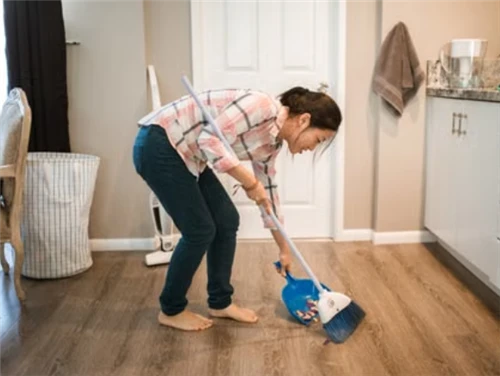
A woman using a cordless mop
Sign 1: It's Running Out Way Faster Than It Used To
This one tends to sneak up on you. The first few times you notice the session felt short, you figure maybe you left it on too long last time, or maybe you're cleaning a bigger area than usual. Then it keeps happening. What used to last 35 minutes is now cutting out at 18. What used to cover the whole first floor now barely makes it through the kitchen.
Lithium-ion batteries have a finite number of charge cycles in them, somewhere around 300 to 500 depending on the cell quality and how you've treated it. Every charge and drain takes a little off the top. After a year or two of regular use, you start to actually feel that loss.
A simple check: run it from a full charge until it shuts off and time it. Look up the rated runtime in your manual. If you're hitting less than two-thirds of what the spec says, the battery has degraded enough to notice.
Slowing that decline is possible if you catch it early enough. Try not to let it drain all the way down before recharging, and don't leave it sitting on the charger long after it's done. Lithium cells are happiest somewhere in the middle, not at the extremes. But if you're already below half the original runtime, honestly, just start pricing out a replacement battery. You'll get more mileage out of that than any charging adjustment.
Sign 2: The Scrubbing Feels Weak, Even Right After Charging
A healthy cordless scrubbing mop spins at full speed the second you turn it on. The pad grips the floor, the spray hits with decent pressure, and the whole thing just feels like it has some authority to it.
When the battery is going, that changes. The scrubbing pad might spin a bit slower. The water spray might feel more like a drizzle than a spray. You push it across a stain and it sort of nudges it instead of lifting it. The annoying part is it can be hard to tell at first whether it's the brush, the motor, or the battery.
Here's an easy way to sort it out: give the cleaning head a thorough rinse, check that the spray nozzles aren't blocked, and make sure the pad is seated properly. If the mop still feels underpowered after all that with a full charge showing, the battery is almost certainly the issue. A worn-out cell can't deliver steady voltage when the motor is actually working, and the motor slows down as a result. The mop looks like it's running, but it's not running right.
If you can borrow a spare battery from the same model, swap it in. The difference will be immediately obvious.

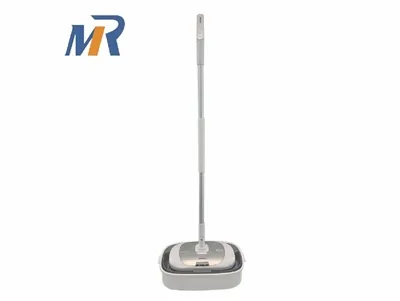
Meare Cordless Scrubbing Mop
Sign 3: It Gets Noticeably Hot When You Use It or Charge It
Some warmth is normal. A battery that's been working or charging for a while will feel slightly warm, and that's fine. What you're looking for is heat that seems out of proportion. The handle gets uncomfortably warm after ten minutes of cleaning. The battery compartment is hot to the touch right after you unplug it. The area around the charger port gets warmer than it used to.
As battery cells age, their internal resistance goes up. More resistance means more energy lost as heat instead of going to the motor. So an aging battery runs hotter and also feels weaker, which is why signs 2 and 3 often show up around the same time.
The charging heat is the one worth taking seriously from a safety standpoint. If your mop feels genuinely hot after charging, not just warm, that's worth paying attention to. Let things cool down fully before you use it or charge it again, and try to avoid plugging it in right after a cleaning session when the cells are already warm from being used. If the heat keeps happening even with those adjustments, that battery is telling you it's done.
Sign 4: The Battery Indicator Starts Lying to You
You look at the display, it says two bars or three bars, you figure you've got plenty of time. Five minutes later it cuts out. Or the opposite: it reads full for a suspiciously long stretch and then drops to nothing with no warning. Or it flashes in some pattern you've never seen before and you have no idea what it means.
This kind of erratic behavior is what happens when the battery management system inside the mop is trying to read cells that no longer behave consistently. It's making its best guess about remaining charge based on voltage, and degraded cells don't give clean voltage readings. The result is a display that's no longer tracking what's actually happening.
Once you notice this, stop trusting the indicator and start timing your sessions instead. Keep a rough mental note of how long you actually got from the last "full" charge. That number is more reliable than anything the display tells you at this point. And if you're in contact with customer support about anything else, mention the erratic indicators. It's useful information for them and it might be relevant to any warranty conversation.
Sign 5: Charging Takes Forever, But the Battery Still Dies Fast
This one is probably the clearest sign that a battery is near the end of its useful life. It used to take two hours to charge. Now it's sitting on the dock for four or five hours before the indicator says it's done. And then you go to use it and it's flat in fifteen minutes.
What's happening is that the cells can still accept a charge, but slowly, because their internal resistance has gone up so much. And they can't actually hold the energy they've taken in the way they used to. So the charger works longer to fill them up, but there's less real capacity on the other side of that process.
This pattern can be made worse by habits like leaving the mop on the charger indefinitely, or storing it for a few months with a completely dead battery. Both put stress on lithium cells that they don't recover from easily. If either of those sounds like something you've done, that may be part of why you're here.
If the mop is still under warranty, now is the time to use it. Call or email the manufacturer, describe the charging behavior, and ask about replacement options. A lot of brands will handle this without making it difficult. If you're past warranty, check whether they sell replacement battery packs separately. For most cordless mops, swapping the battery yourself takes about ten minutes and costs a fraction of what a new machine would.
A Few Habits That Actually Help
None of this is complicated. Don't run the battery all the way down before charging. Don't leave it plugged in at 100 percent for hours after it's done. Store the mop somewhere it won't bake in summer heat, a hot garage being the classic mistake. Clean the mop pad and spray nozzles regularly so the motor isn't working harder than it needs to. And after a long cleaning session, let things cool down for fifteen minutes before you plug it in.
That's really it. Batteries wear out eventually no matter what, but these habits genuinely slow the process down.
Replace the Battery or Replace the Mop?
A rough rule: if a genuine replacement battery costs less than half what a comparable new machine costs, fix the battery. If the replacement costs more than that, or if the brand doesn't sell batteries separately at all, do the math on just getting a new one.
This is also where brand choice matters more than people realize. Some manufacturers design their machines with the battery in mind from the start, making cells replaceable and keeping replacement parts available for years. Others treat the battery as disposable and expect you to buy a new unit when it wears out. Zhejiang Meare Smart Tech has been building cordless floor care products since 2018, backed by more than 15 years of precision manufacturing experience, and designs its cordless scrubbing mop lineup so that batteries and components can actually be serviced over time. That kind of long-term thinking tends to show up when you actually need it.
If your mop is showing one of these signs, it might just need some adjusted habits. If it's showing three or four, the battery is probably done. Either way, you're not looking at a broken mop. You're looking at a worn-out battery, and that's a much easier problem to solve.